Hours, Logs & Compliance · Driver Training VideoYard Moves & Duty Statuses
Yard move spares the 11 hour drive clock but still burns the 14 hour window and the cycle, and misusing it creates a false record. Drivers learn the four duty statuses, where yard move applies, personal conveyance, and the ELD traps.
 Branded with your logo & company name
What drivers learn
Start with the four
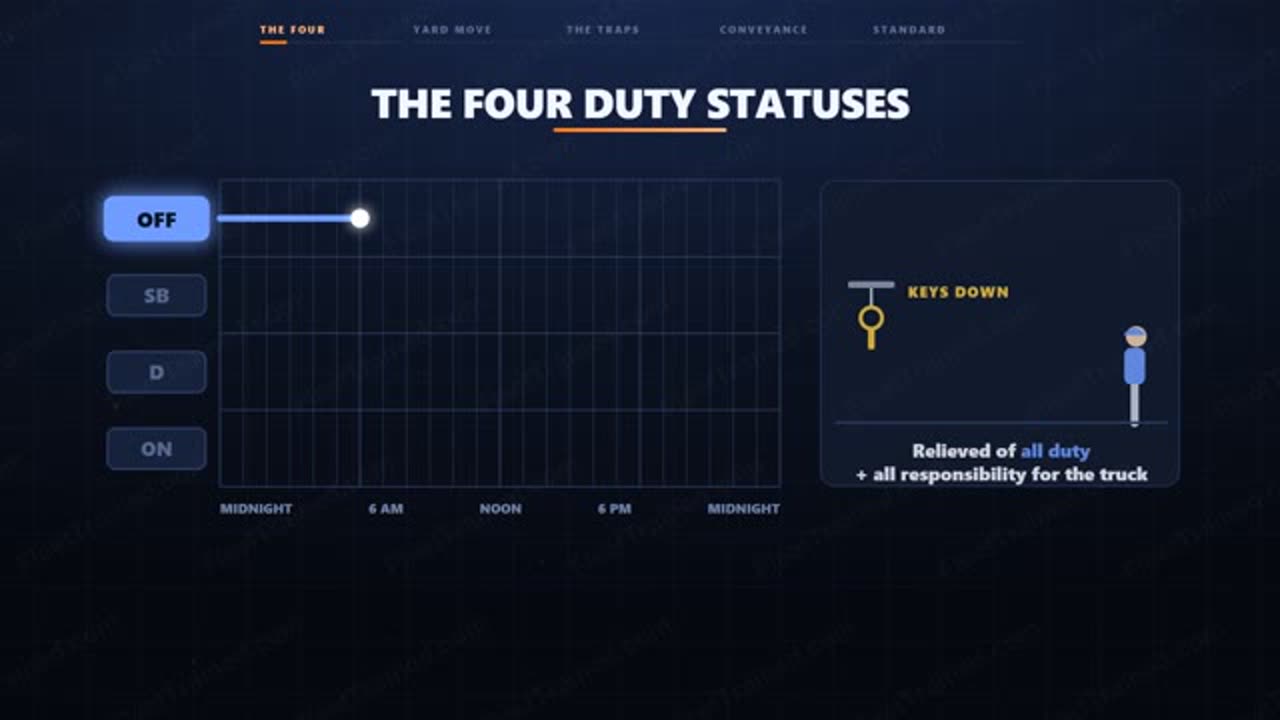
Off duty means you are relieved of all duty and all responsibility for the truck. Sleeper berth is rest taken in the berth. Driving is any time the wheels are turning with you behind them.
On duty not driving is the line drivers get wrong most. If you are working, you are on duty. Two hours at a receiver logged off duty is not a shortcut. It is a false record, and the ELD leaves a trail that says so.
Now the special categories
Yard move is a sub-status of on duty not driving. When you select it, the ELD stops auto-logging you into driving when the truck starts rolling. Yard move does not burn your eleven hours of drive time.
Where can you use it? On private property with controlled access. A terminal yard. A fenced customer lot. An intermodal facility behind a gate. Not on an open public road. A public road only counts while public access is actually blocked, by gates, lights, or flaggers.
Yard move also has to be turned on in the ELD by your carrier before you will see it. If the button is not there, that is a setting, not a loophole.
Three traps
First, selecting yard move after you already moved. Select it before the wheels turn. Second, staying in yard move once you leave the property. Many units will not catch that for you. Third, the ignition cycle.
Personal conveyance is the other special category, and it is the opposite. Personal conveyance is off duty. It applies only when you are relieved of all duty and moving the truck for your own purpose. Repositioning toward the next shipper or receiver is not personal conveyance.
Your company standard: know all four duty statuses cold. Select yard move before you move, never after. Drop out of yard move before you touch pavement. Log every minute of dock time and inspection time as on duty.
Sample quiz questions
3 of the 10 questions drivers answer after the video. Quizzes run in the driver's own language.
- A normal shortcut as long as the truck isn't moving
- A false record, since working time must be logged on duty
- Acceptable if the driver annotates it the next day
- Fine as long as it's under the fourteen-hour window
Show answer
A false record, since working time must be logged on duty
- Resting in the sleeper berth between loads
- A pre-trip inspection before heading out
- Waiting for dispatch while relieved of all duty
- Driving to the next shipper with the wheels turning
Show answer
A pre-trip inspection before heading out
- It stops the eleven-hour drive clock from ever running again
- It erases the current duty status history for the day
- It stops the ELD from auto-logging the driver into driving when the truck rolls
- It automatically logs the driver off duty for the move
Show answer
It stops the ELD from auto-logging the driver into driving when the truck rolls
How fleets use this training
Pick Yard Moves & Duty Statuses and send each driver a personal link by email, or copy the link and text it yourself.
Drivers watch on their phone and answer the quiz in their own language. No app, no login.
They sign on screen and get a certificate with your logo. Every completion is saved for DOT and insurance.
Train your drivers on Yard Moves & Duty Statuses
Included in the Full Library plan ($129.99/mo, unlimited drivers). Unlimited drivers, cancel anytime. Prefer to own it? Order it branded for $4.99, one time.
Frequently asked questions
How long is the Yard Moves & Duty Statuses training video?
About 4 min. Drivers watch it on their phone from a personal link, then take a 10-question quiz.
Is there a quiz and a completion certificate?
Yes. Every driver takes a 10-question quiz in their own language, signs on screen, and gets a completion certificate with your company name and logo. Records are saved for DOT audits and insurance.
Which languages is it available in?
Ready today in English. You can also order it branded in any other language for $2.99 per extra language.
How much does it cost?
Included in the Full Library plan ($129.99/mo, unlimited drivers). You can also order this video branded with your logo and company name in the voiceover for a one-time $4.99, yours to keep.